
You have 2 options.
Option 1: Regenerate documents (PDF CreateMate)
- Begin by navigating to your contact list for PDF CreateMate template.
- Choose the contact(s) for whom you wish to regenerate a documents.
- Click on the 'Retry/Regenerate documents' option.
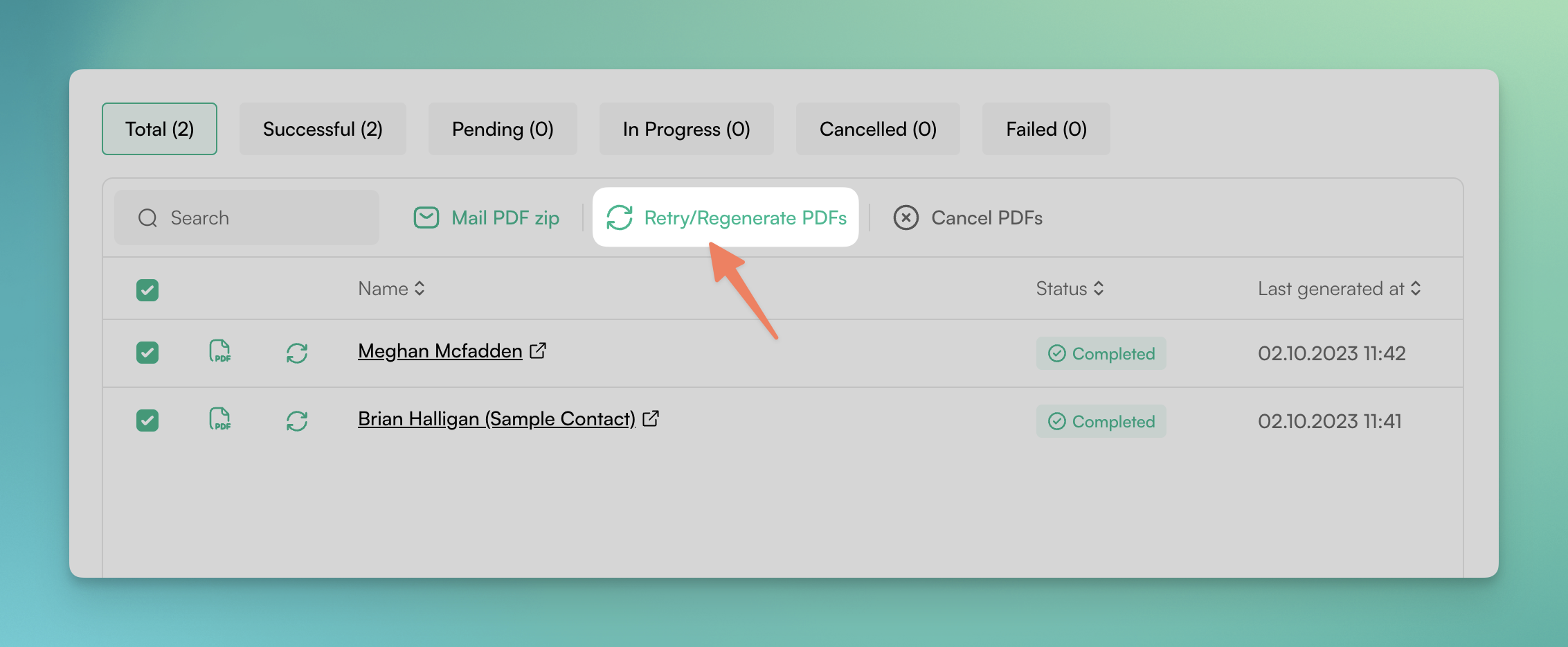
- Upon completion of these steps, PDF CreateMate will activate the process to regenerate a document for the selected contact(s) for the selected templates.
Option 2: Regenerate documents (HubSpot)
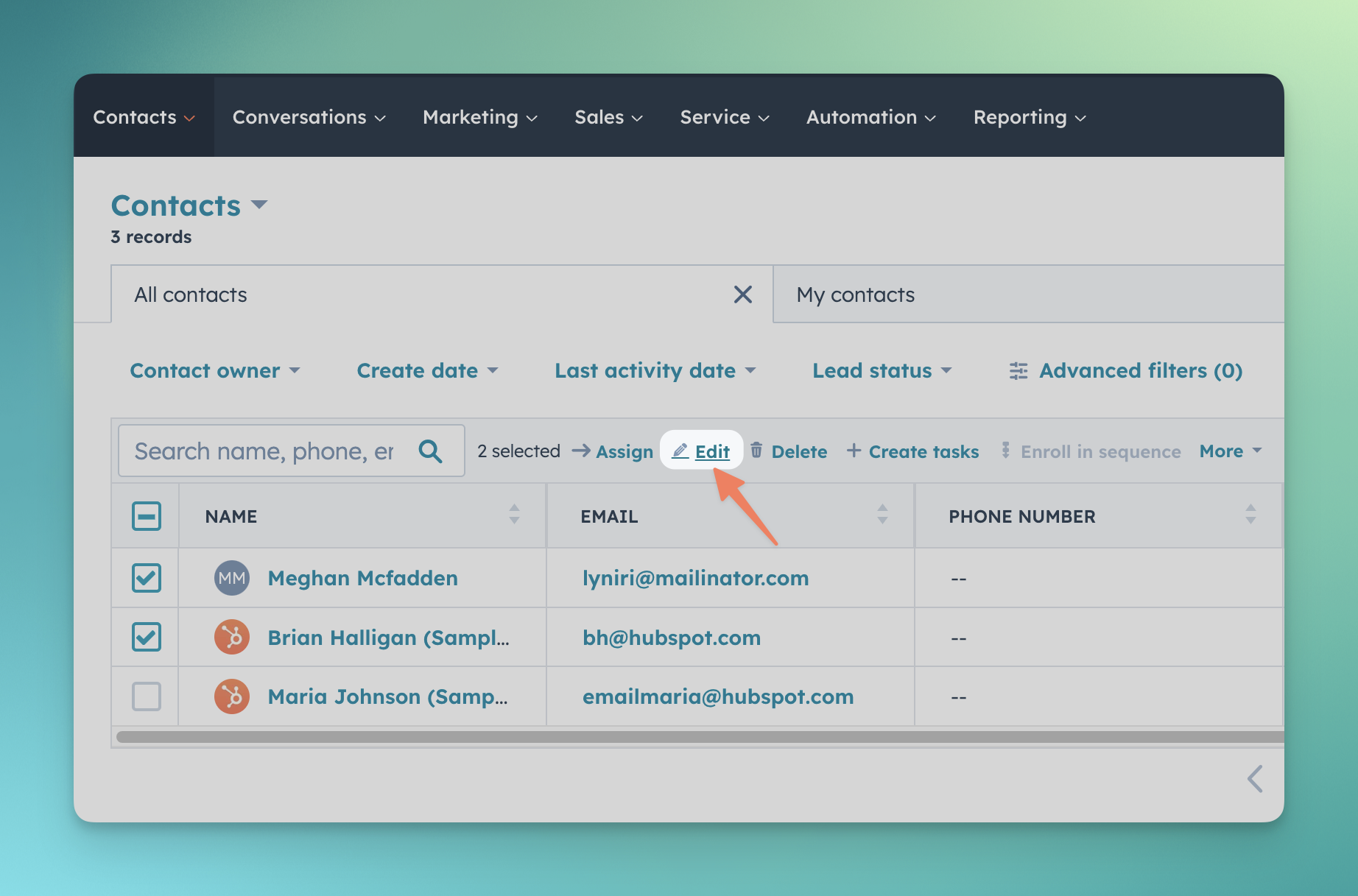
- Begin by navigating to your full contact list or a specific filtered contact list.
- Choose the contact(s) for whom you wish to regenerate a documents.
- Click on the 'Edit' option.
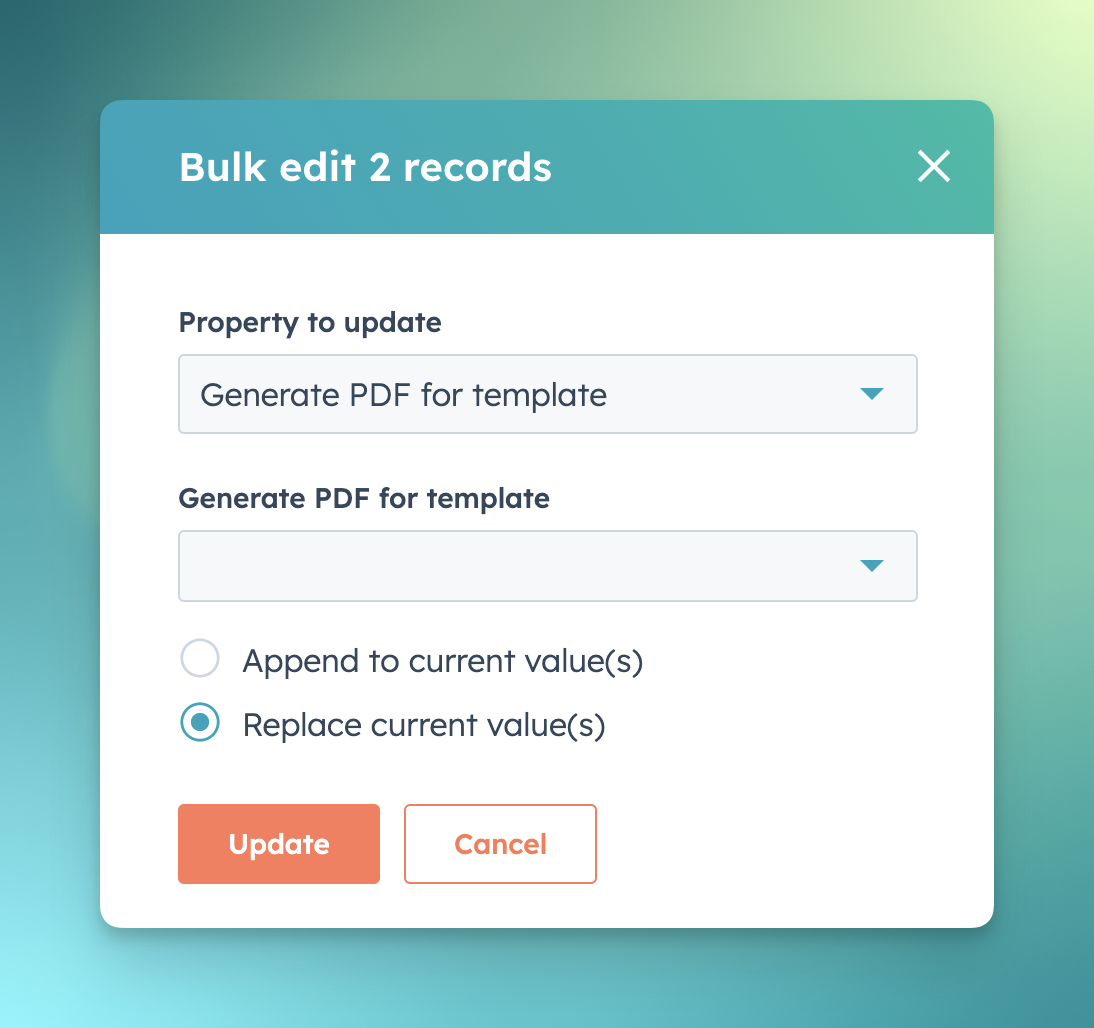
First clearing process:
- Look up the property titled 'Generate PDF for Template' and remove the template from the value options.
- Search for the property named 'PDF generated for Template' and similarly remove the template from its value options.
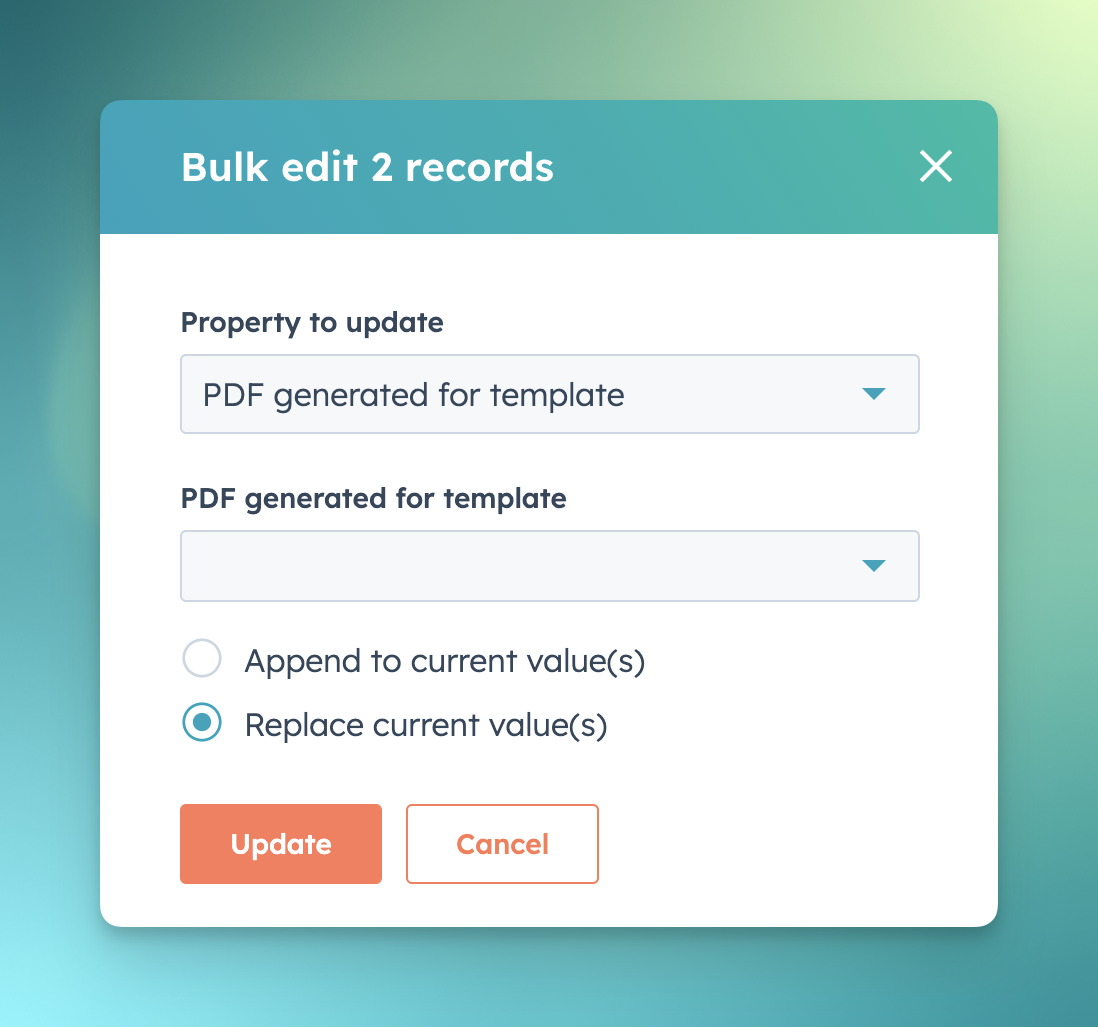
- Confirm these changes by clicking 'Update'.
- Once more, click on 'Edit'
- Look up the property 'Generate PDF for Template'.
- Browse through the value options to search for and select the desired template.
set-generate-pdf-for-property
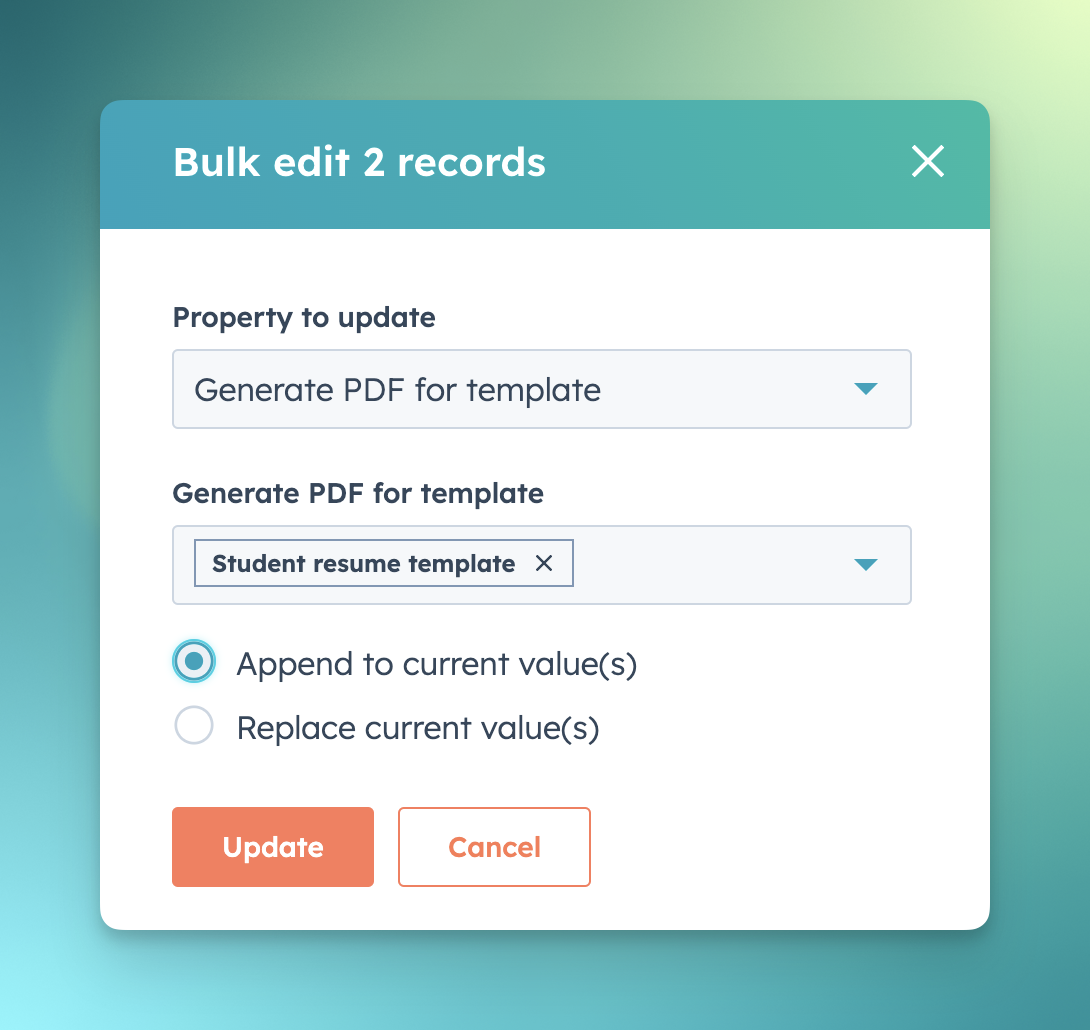
- Confirm by clicking 'Update'.
- Upon completion of these steps, PDF CreateMate will activate the process to regenerate a document for the selected contact(s) based on the templates you've picked.
PDF CreateMate employs the properties 'Generate PDF for Template' and 'PDF generated for Template' for the document generation process. By erasing and then repopulating these property values, document regeneration is triggered. Essentially, PDF CreateMate responds to changes in these properties to produce documents.